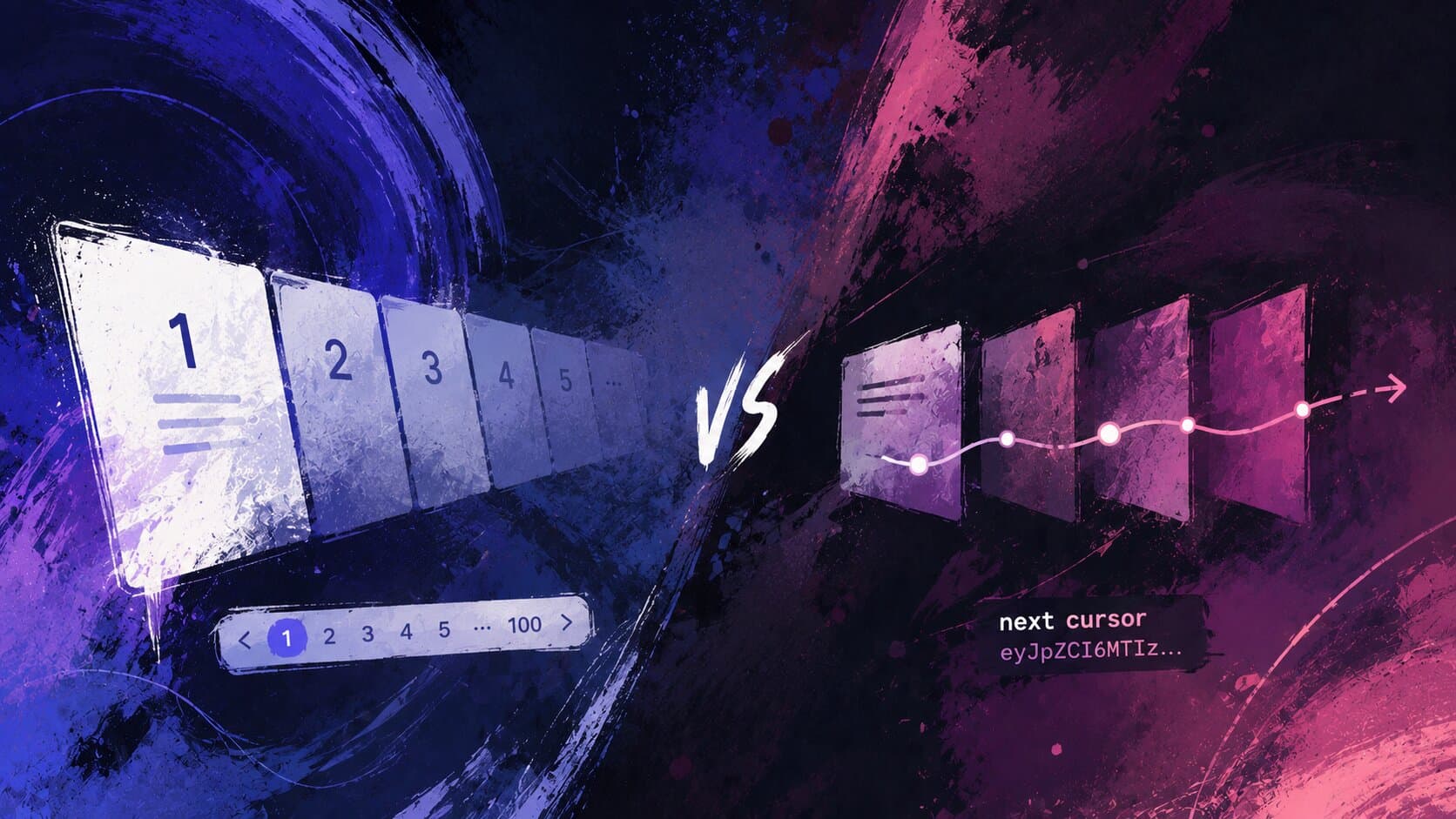
Page navigation patterns: offset vs cursor pagination
There is a huge misconception among engineers about pagination, and the way to implement it best. A holywar, even, if you will.
Let's uncover two common pagination patterns — offset and cursor — and when to use each. Along the way, we'll see how a seemingly innocent OFFSET can lead to performance nightmares, and how cursor pagination can save the day (but also has its own quirks).
Before we dig into the how, let's spend a moment on the why — because different use cases lead to very different pagination requirements.
The most obvious case is a dashboard with a classic paginated table: a list of orders, users, transactions, whatever. The user sees "Page 3 of 47", clicks the page number directly, jumps to page 12, sorts by column, goes back to page 1. The key property here is random access — the user can land on any page at any moment.
Then there are social feeds and infinite scroll UIs. Nobody is jumping to "post number 4800". The user just scrolls down, and more content appears. The access pattern is strictly sequential: always forward, always from where you left off.
And finally, there is the often-overlooked case of data consumers: background jobs, export pipelines, sync services, crawlers. Something that needs to walk through all the records in a table, in batches, without missing a row and without getting hit by an OOM because someone decided to load 2 million records into memory at once. These consumers don't care about page numbers at all — they just need a reliable "give me the next batch after this checkpoint" primitive.
These three cases look similar on the surface — "just fetch rows in chunks, right?" — but they have fundamentally different performance and consistency requirements. And that's exactly where the choice of pagination strategy starts to matter.
This is the classic approach, and chances are you've implemented it at least once. The idea is simple: the client asks for a specific page number, and the server translates it into an SQL OFFSET.
The database query looks like this:
SELECT * FROM eventsORDER BY created_at DESCLIMIT 20 OFFSET 40; -- page 3, page_size = 20
On the API layer it's equally straightforward:
async function getPage(page: number, pageSize: number) {const offset = (page - 1) * pageSize;return db.query(`SELECT * FROM events ORDER BY created_at DESC LIMIT $1 OFFSET $2`, [pageSize, offset]);}
The REST API contract is also intuitive. The request carries page and page_size, and the response includes the data alongside enough metadata for the client to render a paginator:
GET /api/events?page=3&page_size=20
{"data": [...],"page": 3,"page_size": 20,"total_count": 583,"total_pages": 30}
Clean, familiar, easy to test. Every engineer who's ever built a table with a paginator knows this pattern by heart.
- Simple to implement and reason about.
- Supports random access: the user can jump directly to page 47.
- Easy to show "page X of Y" and total record counts.
- Stateless: each request is self-contained, no session to maintain.
- The UI pattern is universally understood.
- Performance degrades with deep pagination — more on this in a dedicated section below.
- Page drift: if records are inserted or deleted between requests, the pages shift. A row can appear twice, or disappear entirely, between page 2 and page 3.
COUNT(*)is expensive: getting the total number of records requires a separate query that scans (at least) the entire index.- Not suitable for sequential consumers like background jobs or export pipelines — at high offsets it gets dangerously slow.
The idea behind cursor pagination is to ditch the concept of "page number" entirely and instead say: "give me 20 records that come after this specific record". This is sometimes also called keyset pagination.
The cursor encodes the position of the last seen record. The database query then uses a WHERE clause instead of OFFSET:
SELECT * FROM eventsWHERE created_at < $1OR (created_at = $1 AND id < $2)ORDER BY created_at DESC, id DESCLIMIT 20;
The database can now use the index on (created_at, id) to jump directly to the right position — no row counting, no throwing records away.
The REST API looks a bit different. Instead of a page number, the client passes an opaque cursor token:
GET /api/events?cursor=eyJpZCI6MTIzNDV9&page_size=20
{"data": [...],"next_cursor": "eyJpZCI6MTIzNDR9","has_next_page": true,"as_of": "2026-05-18T10:32:00.000Z"}
The word "opaque" here is intentional and important. From the client's perspective, the cursor is a black box — just a string to be passed back as-is on the next request. The client doesn't know (and shouldn't care) what's inside. This is actually a feature: it gives you full freedom to change the cursor's internal structure — add fields, change encoding, swap sort columns — without breaking the API contract.
The cursor itself is typically a base64-encoded JSON blob. At minimum it carries the values of the sort columns for the last seen row, but in practice it often carries more. One particularly useful field is as_of — a snapshot timestamp captured at the very beginning of the crawl session.
Why? Consider paginating over records sorted by updated_at. If a record gets modified while you're halfway through, its updated_at changes and it bubbles up to the front of the result set. Without as_of, it will show up again in a later page, and you'll process it twice. With as_of, every page query adds AND updated_at <= $as_of, which pins the result set to what existed at the moment the crawl started:
interface CursorPayload {sortValue: string; // ISO timestamp of the sort column (created_at, updated_at, or any other)id: number;asOf: string; // snapshot timestamp, fixed for the entire crawl session}function encodeCursor(row: { sortValue: Date; id: number }, asOf: Date): string {return Buffer.from(JSON.stringify({sortValue: row.sortValue.toISOString(),id: row.id,asOf: asOf.toISOString(),})).toString('base64url');}function decodeCursor(cursor: string): CursorPayload {return JSON.parse(Buffer.from(cursor, 'base64url').toString('utf-8'));}
The service layer ties it all together:
async function getPaginatedEvents(cursor?: string, pageSize = 20) {let rows: Event[];let asOf: Date;if (!cursor) {// First request: pin the snapshot to nowasOf = new Date();rows = await db.query(`SELECT * FROM eventsWHERE updated_at <= $1ORDER BY updated_at DESC, id DESCLIMIT $2`,[asOf.toISOString(), pageSize + 1]);} else {const payload = decodeCursor(cursor);asOf = new Date(payload.asOf); // carry the original snapshot forwardrows = await db.query(`SELECT * FROM eventsWHERE updated_at <= $1AND (updated_at < $2 OR (updated_at = $2 AND id < $3))ORDER BY updated_at DESC, id DESCLIMIT $4`,[asOf.toISOString(), payload.sortValue, payload.id, pageSize + 1]);}const hasNextPage = rows.length > pageSize;if (hasNextPage) rows.pop();return {data: rows,nextCursor: hasNextPage ? encodeCursor({ sortValue: rows[rows.length - 1].updatedAt, id: rows[rows.length - 1].id }, asOf) : null,hasNextPage,};}
The "+1 trick: fetching one more row than needed is a clean way to know if there's a next page without running a separate
COUNTquery. If you getpageSize + 1results back, there's more data. If you getpageSizeor fewer — you're on the last page.
- Constant query performance: whether you're on "page 1" or "page 47000", the cost is
O(page_size), notO(offset). - No page drift: the cursor points to a specific row, so inserts and deletes between requests don't cause rows to appear twice or disappear.
- Perfect fit for infinite scroll, "Load more", and sequential data consumers (crawlers).
- No expensive
COUNT(*)needed.
- No random access: you cannot jump to an arbitrary page. "Go to page 150" is not a thing — you must walk from the beginning.
- No total count: you can't tell the user "page 3 of 847". You can only say "here's the next batch" and "there are more results".
- Sorting constraints: the cursor must encode all columns in the
ORDER BYclause. Changing sort order mid-session invalidates the cursor. Multi-column sorts with NULLs get hairy fast. - Bi-directional navigation: going backwards ("previous page") requires a reverse cursor and a mirrored query. Doable, but more code to carry.
- Harder to debug: since the cursor is opaque by design, inspecting what went wrong requires decoding it manually — a minor inconvenience, but worth knowing about.
One more thing worth mentioning about cursor pagination. When your sort key is not unique — say, created_at — you must include a tiebreaker (typically the primary key) in both the ORDER BY and the cursor. If you don't, rows with identical created_at values will cause inconsistencies: some rows will appear twice, some will be skipped entirely.
The WHERE clause for a two-column sort key looks a bit awkward:
WHERE (created_at, id) < ($1, $2)
Some databases support tuple comparison like this directly. Others (looking at you, older MySQL) require the verbose form:
WHERE created_at < $1OR (created_at = $1 AND id < $2)
Either way, make sure you have a composite index on (created_at, id) — in exactly that order — or the query won't be able to use it efficiently.
A quick note on the tiebreaker itself: id is just the most common choice, not a requirement. Any field works as long as it is comparable (supports < / > ordering), unique across rows, and has an index. A ulid, a uuid with a monotonic generation strategy, a created_at with microsecond precision that happens to be unique in practice — all valid options. The only thing that matters is that the combination of sort key + tiebreaker uniquely identifies a position in the result set with no ambiguity.
Always run
EXPLAIN ANALYZE. A cursor pagination query that looks correct can still do a full sequential scan if the index is missing or the planner decides it's cheaper. Trust but verify.
Let's talk about the thing both patterns eventually run into: a very large table.
With offset pagination the problem shows up earlier and more brutally. OFFSET N is not "start from position N" in any efficient sense — it is "count N rows from the beginning, then start returning". Every. Single. Time. Even with an index on the sort column, the database has to traverse all the skipped entries before it can hand you the page. The further you go, the worse it gets, linearly. Loading page 1 and loading page 47000 are not remotely the same operation.
Cursor pagination handles deep pagination much better — its query cost stays flat. But it's not immune to scale either. A table with hundreds of millions of rows and heavy write load will still stress indexes and buffer pools, regardless of pagination strategy.
So what do you actually do when the table gets too big?
Covering indexes are the first, cheapest fix for offset pagination. A covering index includes all the columns the query needs, so the database can satisfy the query entirely from the index without touching the heap. It doesn't change the asymptotic complexity, but it cuts the cost per row dramatically.
Cold storage / data archiving is the most practical long-term solution. The idea is simple: rows older than some threshold (say, 90 days) get moved to an archive table or a cheaper storage tier. The hot table stays small, pagination stays fast, and the archive is only queried when someone explicitly asks for historical data. This works equally well for both offset and cursor pagination — the hot path stays fast, and cold data is accessed rarely enough that a slow query doesn't matter.
The archiving itself can be implemented as a scheduled job that runs nightly and moves rows in batches:
-- Move events older than 90 days to the archive tableINSERT INTO events_archiveSELECT * FROM eventsWHERE created_at < NOW() - INTERVAL '90 days';DELETE FROM eventsWHERE created_at < NOW() - INTERVAL '90 days';
A couple of things worth watching out for. First, run this in small batches with a short sleep between them — deleting millions of rows in a single transaction will lock the table and make your on-call engineer very unhappy. Second, if your API needs to transparently serve both hot and cold data, you'll need a query router that decides which table (or both) to hit based on the requested time range. This adds complexity, so it's worth deciding upfront whether historical data is a first-class product feature or just a compliance requirement that lives behind an "export" button.
Read replicas help with the COUNT(*) problem specifically. A total count query that would take two seconds on the primary can be safely routed to a replica, keeping the write path unaffected. Just keep in mind that replica lag means the count may be slightly stale — which is usually fine for a UI paginator.
Sharding is the nuclear option. If your data is naturally partitioned by tenant, region, or time — and a single shard can fit comfortably in memory — sharding can bring query times back to earth. But cross-shard pagination is notoriously painful: you can't simply OFFSET across shards, and cursor-based fan-out requires merging sorted streams from multiple sources. Don't reach for sharding until you've exhausted simpler options.
The honest answer is: pagination performance is a symptom, not the root cause. If your table has grown to the point where even cursor pagination feels slow, the question to ask is whether all that data actually needs to live in one hot table.
The mental model that helps me is this: offset pagination is like telling a librarian "go to shelf 47, skip the first 200 books, give me the next 20". Cursor pagination is like saying "give me 20 books that come after this specific book" — and handing them the book. The second request is always fast, regardless of where in the shelf it is.
Which pattern to use depends on your product's UX and data access patterns, not on what's easier to implement. And offset pagination is certainly easier to implement — right up until it isn't.
One last thing: it's not always an either/or choice. If your endpoint is consumed by both a dashboard UI and a background crawler, you can support both modes in a single endpoint. The logic is straightforward — if the request carries a cursor, use keyset pagination; if it carries a page, use offset. The response shape stays consistent either way, just some fields may be absent depending on the mode:
GET /api/events?page=3&page_size=20 → offset modeGET /api/events?cursor=eyJ...&page_size=20 → cursor mode
async function getPaginatedEvents(params: { page?: number; cursor?: string; pageSize?: number }) {const pageSize = params.pageSize ?? 20;if (params.cursor) {return getCursorPage(params.cursor, pageSize);}return getOffsetPage(params.page ?? 1, pageSize);}
The dashboard gets its page numbers and total counts; the crawler gets its stable cursors and as_of snapshots. Same endpoint, right tool for the right consumer.
I hope this saved you from at least one 2am incident. Till the next time!